 Skiff
Driver missing or broken · Troubleshooting
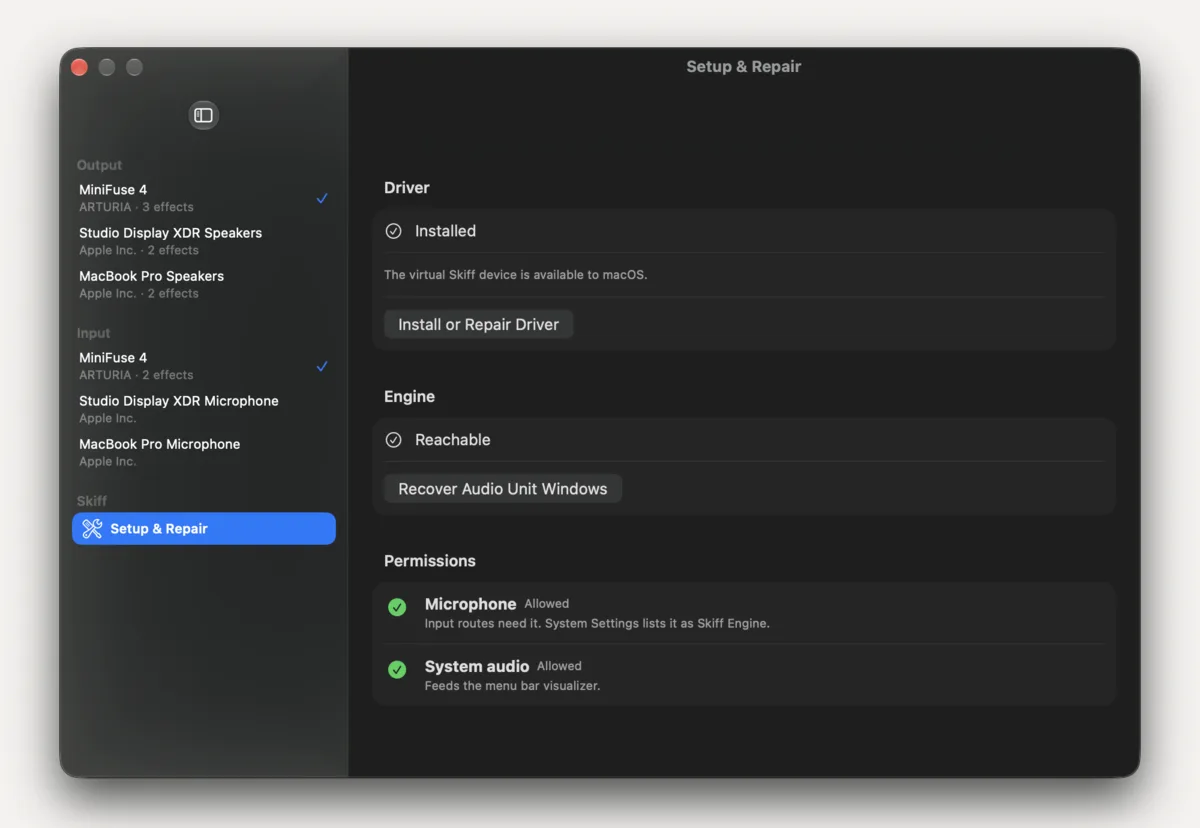
When the driver needs attention, a row in the menu says so. Settings → Setup & Repair has the fix.
01Repair
- Make sure Skiff is in
/Applications. The driver installer won't run from the disk image or Downloads. - Open Settings → Setup & Repair and click Install or Repair Driver. macOS asks for an administrator password.
- Check that a device named Skiff shows up in Audio MIDI Setup.
Repair is always safe to run again. It replaces the driver in place and keeps your chains and presets. It also clears out SoundBoard, Skiff's name before release.
Installing restarts Core Audio, so every app's sound drops out for a second or two. Don't run it in the middle of a call.
02Engine not running
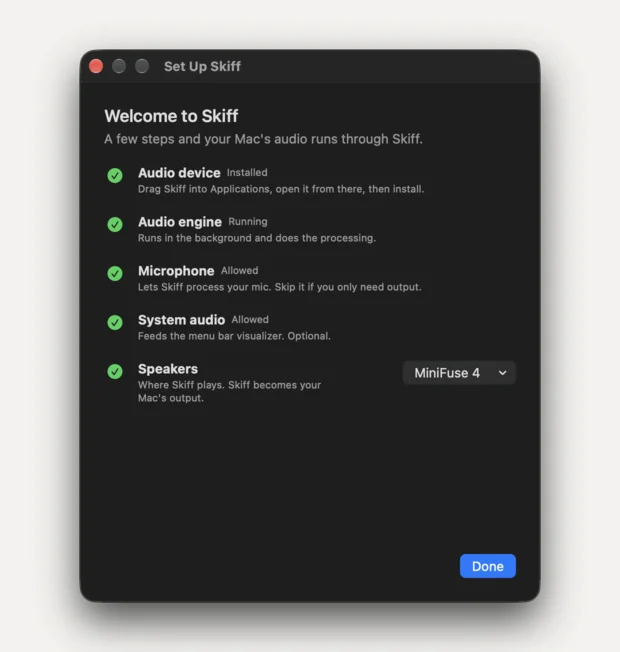
Setup & Repair also checks the engine. If it's stopped, check System Settings → General → Login Items & Extensions and allow Skiff in the background.
Related: What Skiff installs · No sound · Install
All support articles · admin@dws.rip